PulsePoint Respond
Using PulsePoint Respond with Apple CarPlay


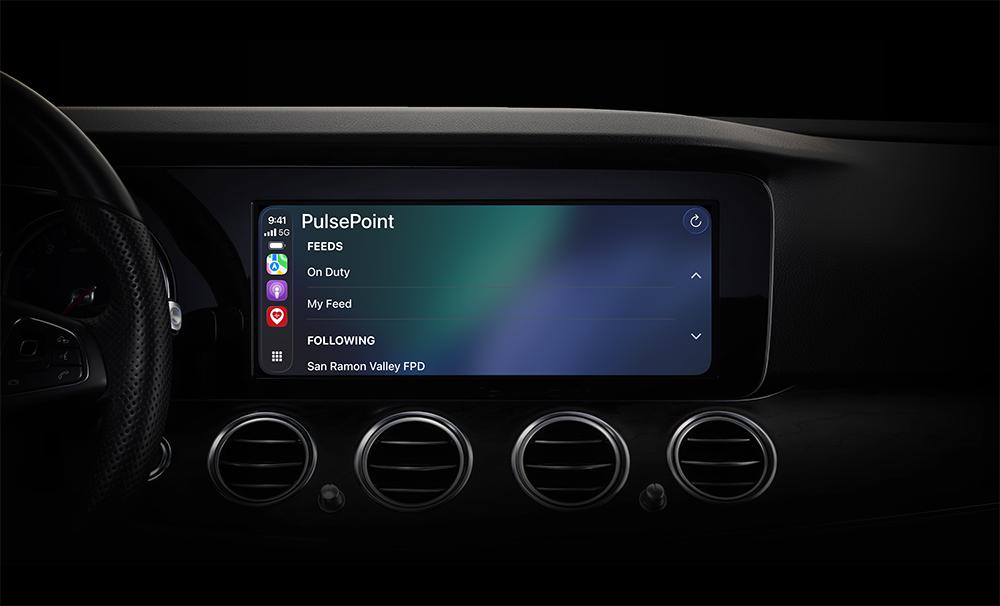


CARPLAY INTEGRATION
CarPlay provides a safer way to use PulsePoint Respond while driving by displaying incidents and directions on your car's built-in screen. The CarPlay app features a simplified interface designed to minimize driver distraction while maintaining access to essential incident and routing information.
View and navigate active incidents from:
- Followed agencies
- My Feed (multi-agency incident list)
- On Duty feed (for professional users; current Unit/Group selections)
Incidents without navigation appear dimmed on the display (i.e., medical incidents for public users).
Vehicle manufacturer and screen size determine how many feed and incident rows display in CarPlay, with potentially fewer rows shown while the vehicle is in motion.
GETTING STARTED
Access CarPlay through your car's built-in controls such as touchscreen, rotary knob, or Siri voice commands. Your available apps will appear on the CarPlay display when connected. To customize which apps appear or adjust their order, go to Settings > General > CarPlay on your iPhone. For vehicle-specific operation instructions, consult your car's manual.
Requires v4.28.